Mix live video
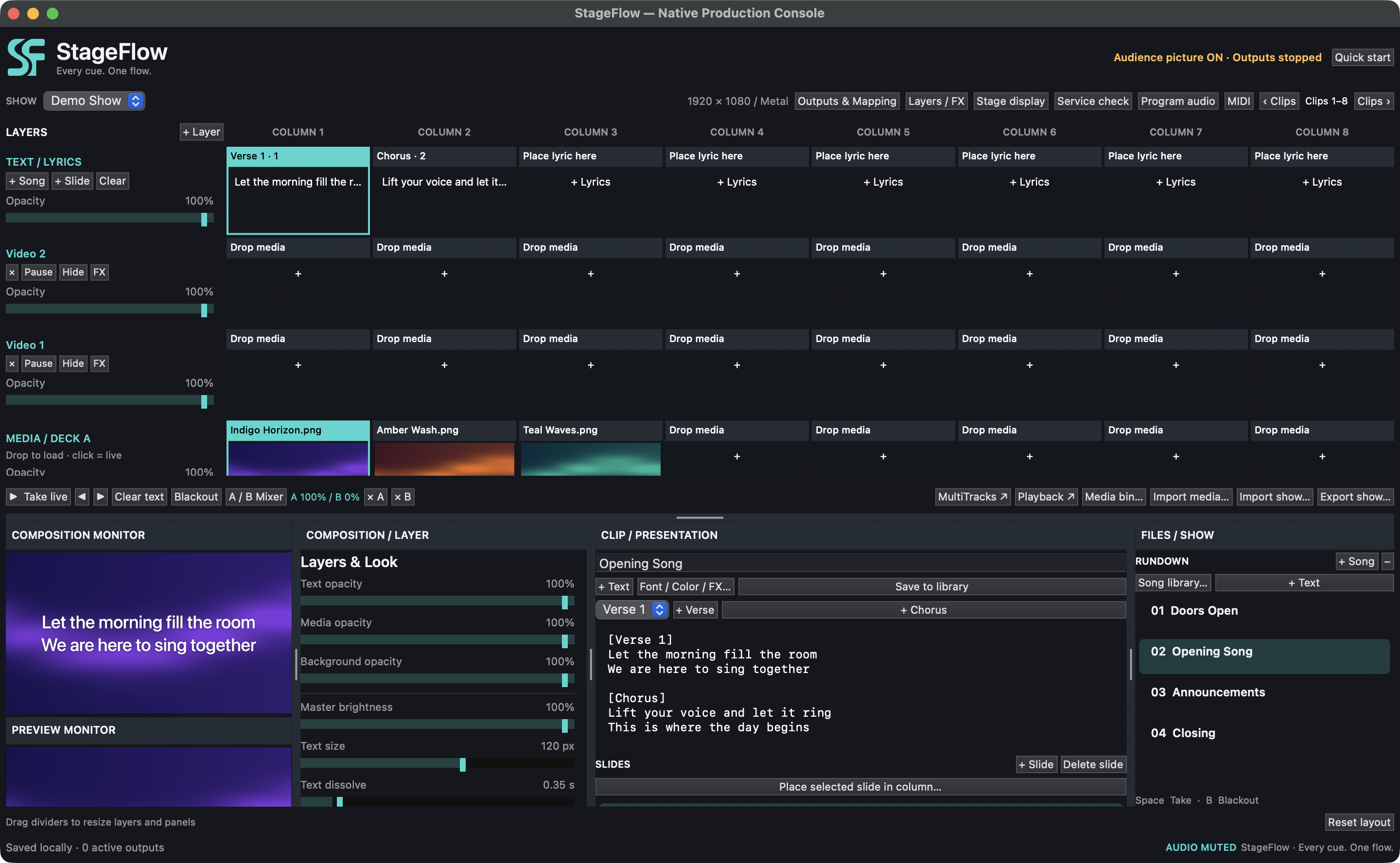
Trigger layered clips, crossfade between two decks, and adjust effects as the show runs.
 Share an idea

Live production for Mac · In development
Run live video, lyrics, and stage cues from one Mac app for worship services and live events.
Inside the app
Watch a 29-second sample show move from preview to live, then see what the performers and audience get on their own screens.
Select any screenshot to see it at full size.
A Chlolin Systems product
Build a show, preview what’s next, and send it live when you’re ready. Give the audience and the stage their own feeds, with each screen set up for what its viewers need. StageFlow is in development for Apple silicon Macs running macOS 14 or later.
From rehearsal to showtime
Trigger layered clips, crossfade between two decks, and adjust effects as the show runs.
Build song sections, reuse saved lyrics, and prepare announcements or other text slides.
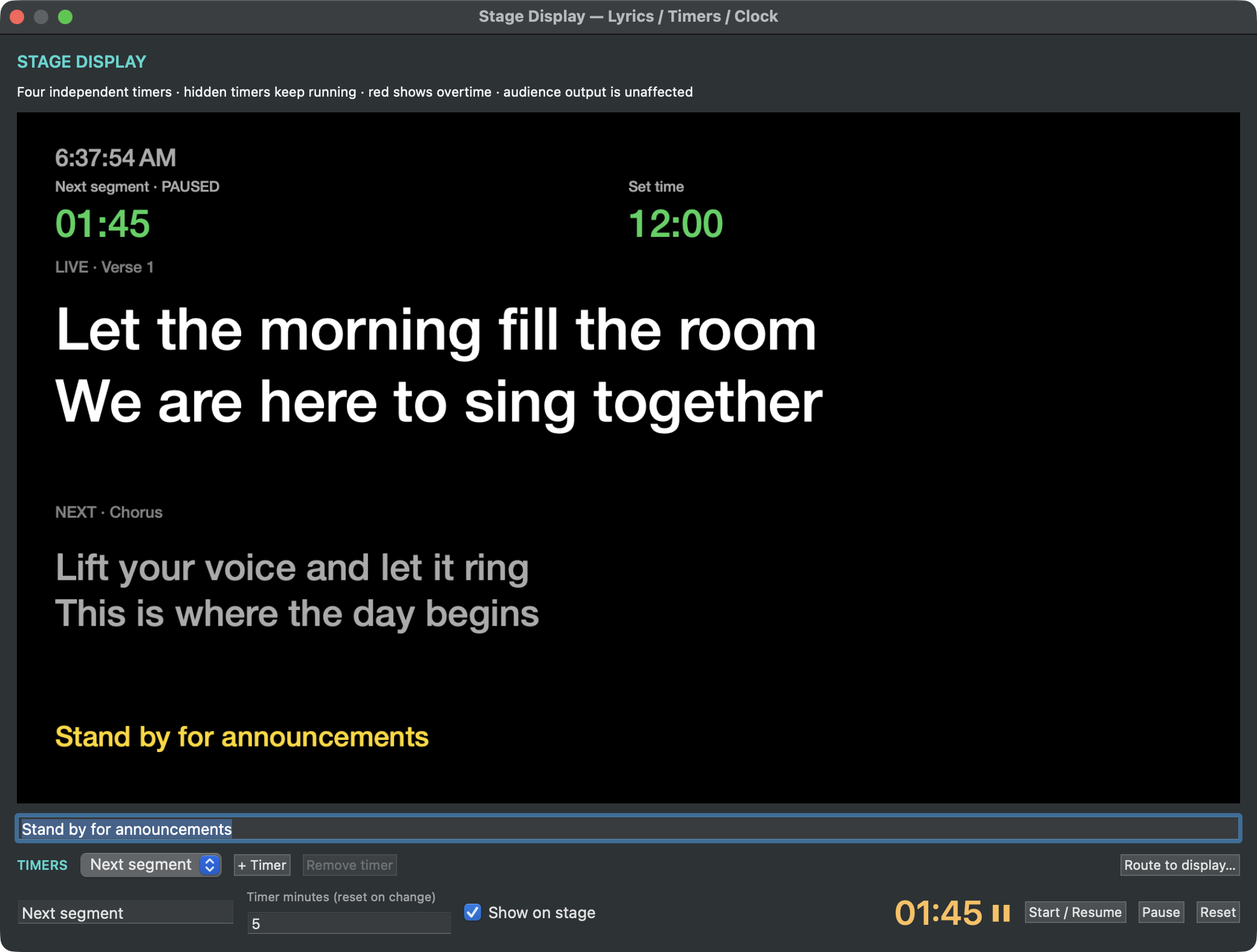
Give presenters and performers a separate view of current and next cues, messages, and countdowns.
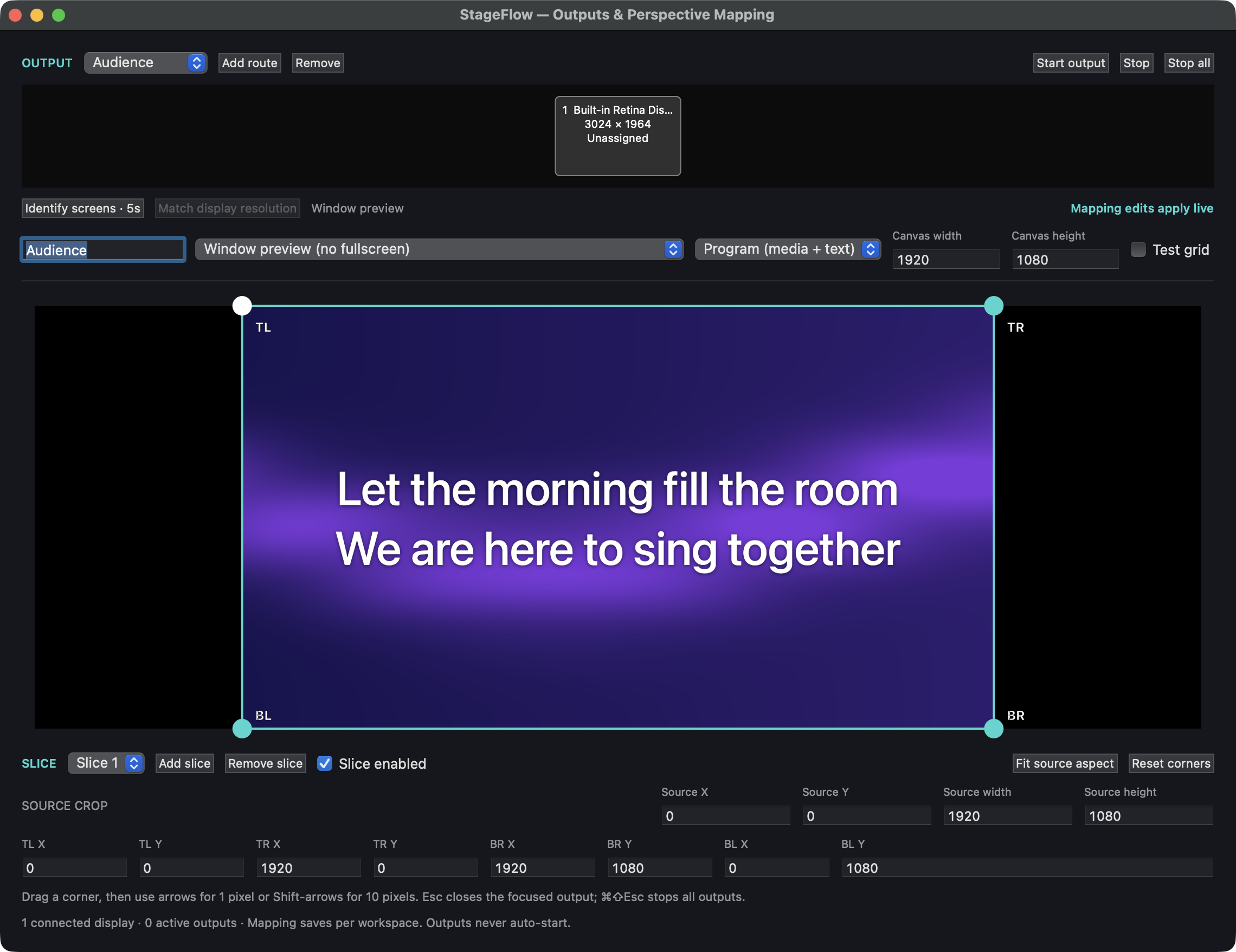
Route separate feeds to displays and adjust the crop and corners to fit each surface.